Best Webcams
According to The Cut List, 3 great picks for the best webcams are OBSBOT Tiny 3 4K PTZ Webcam, Logitech Brio 505 Webcam (1080p resolution), and AnkerWork PowerConf C200 Webcam (2k resolution).
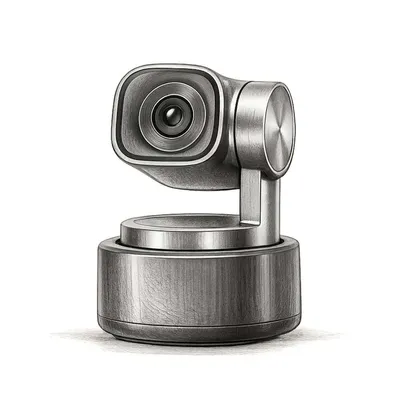
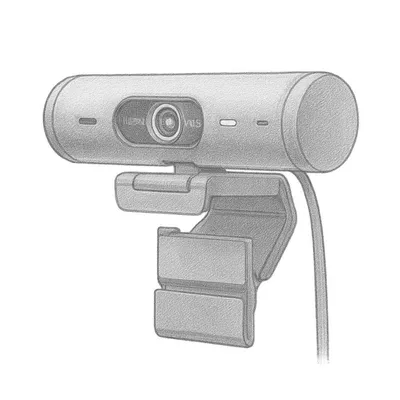
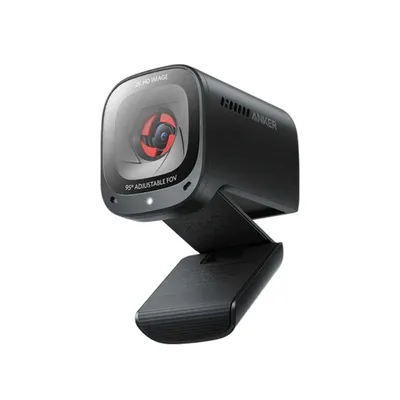
Webcams are small digital video cameras that connect to a computer or network for real-time transmission of video or images. These devices are essential tools for enhancing communication, providing a visual element to video calls and meetings, whether they’re for business, education, or personal use. In today’s digital-centric world, webcams have become indispensable for remote work, online learning, and content creation, such as live streaming and vlogging. They provide the visual clarity needed to mirror face-to-face interactions, making them critical for maintaining personal connections and professional standards over virtual platforms.
How We Select the Best Products
At The Cut List, we carefully curate the top 3 webcam picks by blending in-house analyses with insights from trusted sources. Our experienced team of shopkeepers uses industry knowledge to sift through numerous options, ensuring their selections are free from the influence of misleading or affiliate-driven reviews. We also engage with industry experts and leverage feedback through our Interesting Finds Ads program, enhancing the continuous improvement of our recommendations based on real-world insights and consumer experiences.
Considerations When Buying
When shopping for the best webcams, several key factors can help guide you to the ideal purchase:
- Resolution: Higher resolution webcams (such as 1080p or 4K) provide clearer, sharper images, ideal for professional and creative uses.
- Frame Rate: A higher frame rate ensures smoother video playback. Look for at least 30 fps for fluid video and more for advanced streaming needs.
- Field of View: A wider field can capture more of the room or multiple participants, whereas a narrower view is great for close-ups in one-on-one settings.
- Autofocus and Low-light Correction: These features enhance video quality in different lighting conditions and active environments.
- Connectivity: Consider USB vs. wireless options depending on your setup and needs for flexibility.
- Microphone Quality: Integrated microphones can vary widely, so ensure it meets your audio needs unless you plan to use a separate mic.
Variations or Subcategories
Webcams come in various types, each designed to meet specific user needs and environments. **Built-in webcams** are common in laptops and convenient but often lack the quality of **external webcams**, which provide superior video quality. **Streaming webcams** are tailored for content creators, offering high resolutions, fast frame rates, and superior audio capabilities. Additionally, **conference webcams** are designed for professional setups with wide-angle lenses to capture larger groups and are often used in boardrooms and team meetings. Understanding these different kinds helps in choosing the right webcam for your specific requirements.
Why Buying Webcams Direct is Better for Everyone
Purchasing webcams directly from manufacturers offers substantial benefits. Consumers often enjoy better prices and exclusive product deals, as purchasing direct eliminates the added costs imposed by middlemen. Brands, in turn, receive better profit margins that can be reinvested into improving technology, building better products, and enhancing quality. This direct purchase approach fosters a healthier market, encouraging innovation and allowing consumers to benefit from lower prices and higher value. In a world rife with monopolistic practices, buying direct helps maintain fair pricing, ensuring that the added costs of intermediaries don’t inflate prices unnecessarily without adding value.
Explore Categories in San Diego






Explore Product Categories