Best Mac Keyboards
According to The Cut List, 3 great picks for the best mac keyboards are Apple Magic Keyboard with Touch ID and Numeric Keypad, NuPhy Air75 Keyboard V3, and Logitech Pebble Keys 2.
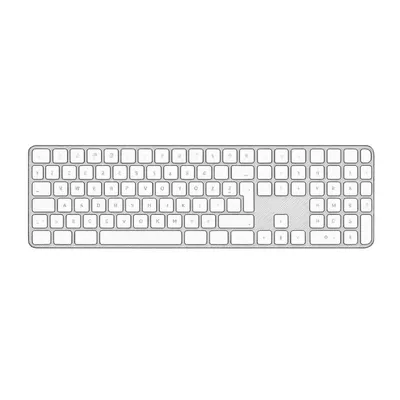
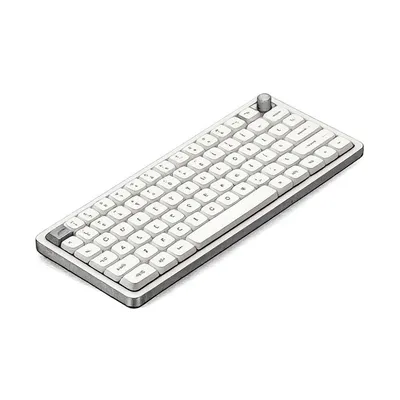
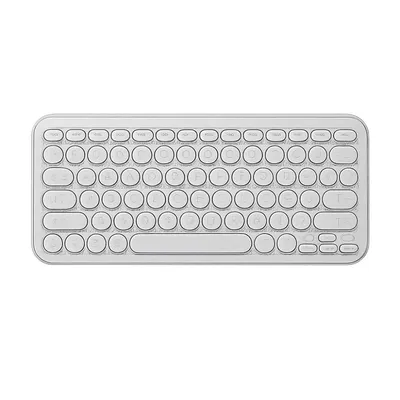
Mac keyboards are typing devices specifically designed or optimized for use with Apple computers, including MacBook laptops, iMac desktops, and Mac Mini setups. These keyboards deliver comfortable, responsive key action and are engineered to integrate smoothly with macOS features such as media controls, brightness adjustment, and system shortcuts. While many keyboards are broadly compatible with multiple platforms, Mac-focused designs prioritize layout, key labeling, and functionality that align with Apple’s ecosystem.
The primary purpose of a Mac keyboard is to provide a reliable, efficient typing experience whether you’re writing emails, coding, editing content, or navigating your system. Key design features often include durable key switches (mechanical or scissor), quiet typing action, wireless or wired connectivity options, and specialized function keys that mirror macOS commands. Compared to generic keyboards, Mac keyboards ensure seamless interaction with Apple hardware and consistent shortcut behavior that boosts workflow efficiency.
Mac keyboards benefit students, professionals, creatives, and everyday users who spend significant time typing or navigating their systems. By offering intuitive layouts and thoughtful ergonomics, they help reduce fatigue and improve accuracy during extended use.
How We Select the Best Products
At The Cut List, selecting the best Mac keyboards is based on technical performance, build quality, and real-world usability. Our evaluation process focuses on how well keyboards support accurate typing, durability over time, and cohesive integration with macOS features.
We assess criteria such as key action and responsiveness, overall comfort, connection stability (Bluetooth or wired), battery life (for wireless models), and ergonomic design. Additional considerations include compatibility across different Mac devices, ease of setup, and the availability of Mac-specific shortcut keys. Inputs from verified users and trusted third-party review platforms help validate performance claims and reveal how keyboards hold up during everyday work.
To maintain objectivity, our team avoids affiliate-driven or promotional bias. Our recommendations reflect consistent typing performance, user satisfaction, and dependable functionality in real use.
Considerations When Buying
When choosing the Mac keyboard, several factors influence performance, comfort, and overall satisfaction:
- Typing Feel & Key Mechanism: Whether mechanical, scissor, or membrane keys, the action should feel responsive, accurate, and suited to your typing style.
- macOS Integration: Dedicated Apple shortcut keys and layout consistency help streamline navigation and system controls.
- Connectivity: Bluetooth wireless options add convenience and mobility, while wired connections offer stable performance without charging concerns.
- Ergonomics & Comfort: Key spacing, height, and wrist support affect fatigue during long typing sessions.
- Battery Life & Charging: For wireless keyboards, long-lasting charge and easy recharging contribute to reliable use.
- Build Quality & Durability: Sturdy materials and construction support long-term use without key wear or structural issues.
- Compatibility: Ensure the keyboard works with your Mac model and supports desired features like media controls and function keys.
Each of these considerations impacts how comfortably and efficiently you can work on your Mac day after day.
Variations or Subcategories
Mac keyboards come in several styles to accommodate different preferences and setups:
- Apple-Branded Keyboards: Designed by Apple for native macOS compatibility with sleek, integrated layouts and consistent key mappings.
- Wireless Bluetooth Keyboards: Portable and cable-free options that pair easily with Mac devices for flexible desk or travel use.
- Mechanical Mac Keyboards: Provide tactile, satisfying key feedback preferred by typists, programmers, or heavy-use users.
- Compact or Tenkeyless Keyboards: Smaller layouts that save desk space and favor minimal setups or travel.
- Ergonomic or Split Keyboards: Designed to minimize wrist strain and promote a more natural hand position for extended typing.
Each variation supports different priorities—whether seamless ecosystem integration, typing precision, space efficiency, or comfort-focused design.
Why Buying Mac Keyboards Direct Is Better for Everyone
Purchasing keyboards directly from manufacturers often results in clearer insight into product specifications, quality standards, and support services. Buying direct helps eliminate intermediary pricing markups and provides access to accurate feature descriptions, firmware updates, and compatibility details.
For consumers, direct purchasing often means easier access to customer support, warranty coverage, and replacement parts or accessories. Manufacturers also benefit from direct feedback from users, using that information to improve switch quality, layout design, durability, and software support in future models.
For everyday typists, professionals, and creative users alike, buying direct fosters transparency, confidence in performance, and a smoother support experience—ultimately leading to keyboards that feel reliable, comfortable, and well-matched to the Mac ecosystem.
Explore Categories in San Diego






Explore Product Categories